

Download WeChat – Free, Secure & Powerful Web Messaging Tool
Overview of WeChat for Web
WeChat, originally launched as a mobile instant‑messaging app in 2011, has grown into a global social‑media powerhouse with more than a billion active users. Recognising the need for a larger screen and a physical keyboard, Tencent introduced WeChat for Web, a browser‑based companion that mirrors the full functionality of the mobile app. The web version lets you view chats, send text, voice, images, and files, and even make video calls—all from the comfort of your desktop or laptop.
Because the web client still relies on your smartphone as the authentication hub, you must keep the mobile app open and connected to the internet while using the browser interface. This design guarantees that all messages remain encrypted end‑to‑end and that your conversation history stays stored on your phone, not on a third‑party server. In practice, the experience feels like an extended version of the mobile UI, simply expanded to fit a wider monitor.
Whether you’re a professional juggling multiple chats while working on a spreadsheet, a student drafting group notes, or a casual user who prefers typing on a physical keyboard, WeChat for Web offers a seamless bridge between your phone and computer. The service is free, secure, and updated regularly to match the mobile app’s feature set, making it an essential tool for anyone who relies on WeChat for daily communication.
Key Features That Make WeChat for Web Stand Out
- Real‑time message sync – All chats, stickers, and emojis appear instantly on the web client as they do on your phone.
- Full multimedia support – Send photos, videos, voice notes, and documents directly from your computer.
- Group chat management – Create, rename, and manage group conversations with the same ease as the mobile app.
- QR‑code login – Secure authentication by scanning a QR code with your mobile WeChat app.
- Keyboard shortcut integration – Use familiar shortcuts (Enter to send, Ctrl + Enter for new line) for faster typing.
- File transfer between devices – Drag‑and‑drop files from your PC to the chat window, automatically syncing to your phone.
- Video and voice calls – Initiate high‑quality video or voice calls without leaving the browser.
- Searchable chat history – Locate past messages, media, or links using the built‑in search bar.
- Multi‑account support – Switch between different WeChat accounts without logging out of the web client.
- Automatic updates – The web app updates instantly, ensuring you always have the latest security patches and features.
Each of these features is designed to replicate the mobile experience while leveraging the strengths of a desktop environment. For example, the drag‑and‑drop file transfer eliminates the need to forward files from your phone to your computer first, saving valuable time. Likewise, the searchable chat history becomes far more powerful when you can type full keywords instead of tapping on a small screen. The QR‑code login process adds an extra layer of security, ensuring that only someone with physical access to your phone can authenticate the web session. Overall, WeChat for Web delivers a robust, full‑featured messaging platform that feels native to any modern browser.
Installation & Usage – Step‑by‑Step Guide
Getting started with WeChat for Web is straightforward, but a clear walkthrough helps avoid common pitfalls. Follow these steps to set up the web client on Windows, macOS, or Linux:
- Open your preferred browser. WeChat for Web works best on the latest versions of Chrome, Edge, Firefox, or Safari.
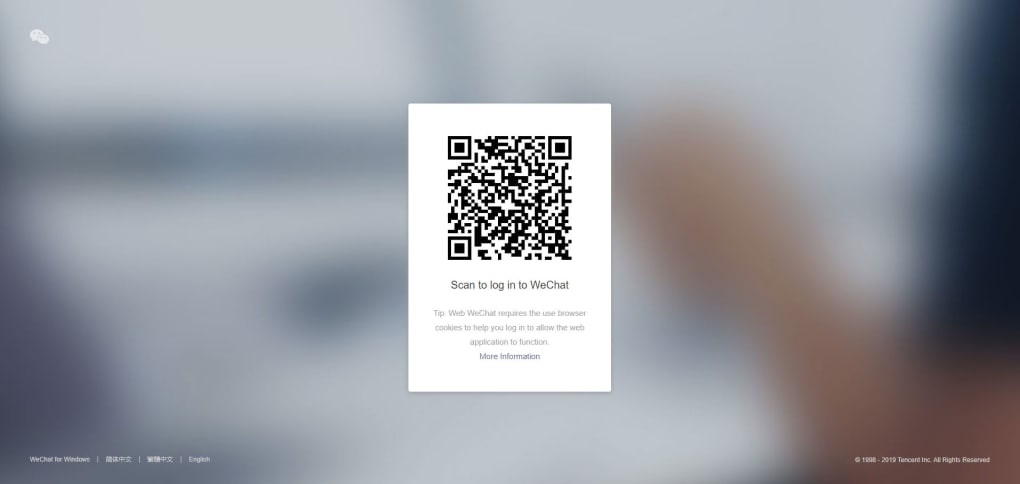
- Navigate to the official web portal. Go to https://web.wechat.com. You’ll see a large QR code displayed in the centre of the page.
- Launch the mobile WeChat app. On your phone, tap the “+” icon in the top‑right corner of the main screen, then select “Scan QR Code”.
- Scan the QR code. Align the camera view with the code on your computer screen. Once recognized, a confirmation prompt appears on your phone.
- Confirm the login. Tap “OK” on your phone to grant the web client access. Your chat list will instantly populate in the browser.
- Keep the phone connected. For the session to remain active, your phone must stay online and the WeChat app open. If the phone loses connection, the web client will display a “Disconnected” message.
- Start chatting. Use the left pane to select a contact or group, type your message in the bottom box, and press Enter to send. You can also click the paper‑clip icon to attach files.
- Log out securely. When finished, click the three‑dot menu in the top‑right corner of the web interface and choose “Log out”. This ends the session and clears the QR code.
The entire process takes less than a minute, and because the web client does not store any conversation data locally, your privacy remains protected. If you encounter a “QR code expired” error, simply refresh the page to generate a new code. For users on corporate networks, ensure that the firewall allows outbound connections to web.wechat.com on ports 443 (HTTPS). Regularly clearing browser cache can also prevent occasional sync hiccups. By following these steps, you’ll enjoy a smooth, secure messaging experience that integrates effortlessly with your daily workflow.
Compatibility, Pros & Cons, and Frequently Asked Questions
WeChat for Web is platform‑agnostic as it runs inside any modern web browser. Whether you’re on Windows 10/11, macOS Ventura, a Linux distribution, or even Chrome OS, the experience remains consistent. Mobile operating systems are not directly involved, but the companion phone must run a supported version of the WeChat mobile app (iOS 13+ or Android 8.0+). The web client automatically adapts to high‑resolution displays, supporting Retina and 4K monitors without loss of clarity.
Pros
- Free to use with no hidden fees.
- Secure QR‑code authentication keeps accounts safe.
- Full feature parity with the mobile app, including voice & video calls.
- Physical keyboard makes long messages faster to type.
- Drag‑and‑drop file sharing simplifies media transfer.
- Instant sync ensures no messages are missed.
- Works on any operating system with a modern browser.
Cons
- Requires the phone to stay online and the app open.
- Dependent on a stable internet connection on both devices.
- No offline mode; you cannot read messages without the phone.
- Limited customization compared to desktop‑only messengers.
- Some corporate firewalls may block the QR‑code service.
FAQ – Your Most Common Questions Answered
Do I need a WeChat account to use the web version?
Yes. The web client is an extension of your existing WeChat account. You must log in by scanning the QR code with the mobile app that is already linked to your account.
Is the chat data stored on the web server?
No. All conversation history remains on your phone. The web client simply mirrors the data in real time, ensuring that your privacy is maintained.
Can I use WeChat for Web on a public computer?
You can, but remember to log out and clear the browser cache after each session. Because the QR‑code login ties the session to your phone, anyone using the same computer without your phone present cannot access your chats.
What should I do if the QR code keeps expiring?
Refresh the web page to generate a new code. If the problem persists, check that your phone’s internet connection is stable and that you are using the latest version of the WeChat mobile app.
Does the web version support WeChat Pay?
WeChat Pay is primarily a mobile feature. While you can view payment QR codes on the web client, you must complete the transaction using the mobile app, which handles the secure payment process.
Review Summary: WeChat for Web delivers a reliable, feature‑rich extension of the beloved mobile app. Its biggest strengths are security, cross‑platform accessibility, and the convenience of a full keyboard. The primary limitation—requiring the phone to stay connected—prevents true desktop independence, but for most users the trade‑off is worthwhile.
Conclusion – Should You Download WeChat for Web?
If you already rely on WeChat for personal or professional communication, the web version is a natural next step. It provides a free, secure, and instantly synchronised experience that eliminates the need to constantly pick up your phone for every incoming message. The ability to type on a physical keyboard, drag‑and‑drop files, and participate in video calls directly from your browser dramatically improves productivity, especially for users who spend long hours at a desk. While the requirement to keep your phone online may feel restrictive, it also ensures that all data stays on your device, preserving the privacy standards that have made WeChat a trusted platform for billions worldwide.
In summary, WeChat for Web is a robust, well‑maintained tool that mirrors the mobile app’s capabilities while adding the convenience of a larger screen and keyboard. Whether you’re a student, a remote worker, or simply someone who prefers typing on a full‑size keyboard, the web client is worth the few extra steps required for QR‑code login. Click the link below to launch the web portal, scan the QR code with your phone, and start enjoying a smoother, more efficient messaging experience today.



.png)



